Articles – For Beginners CapCut Users
May 27, 2026 2026-05-27 19:21Articles – For Beginners CapCut Users
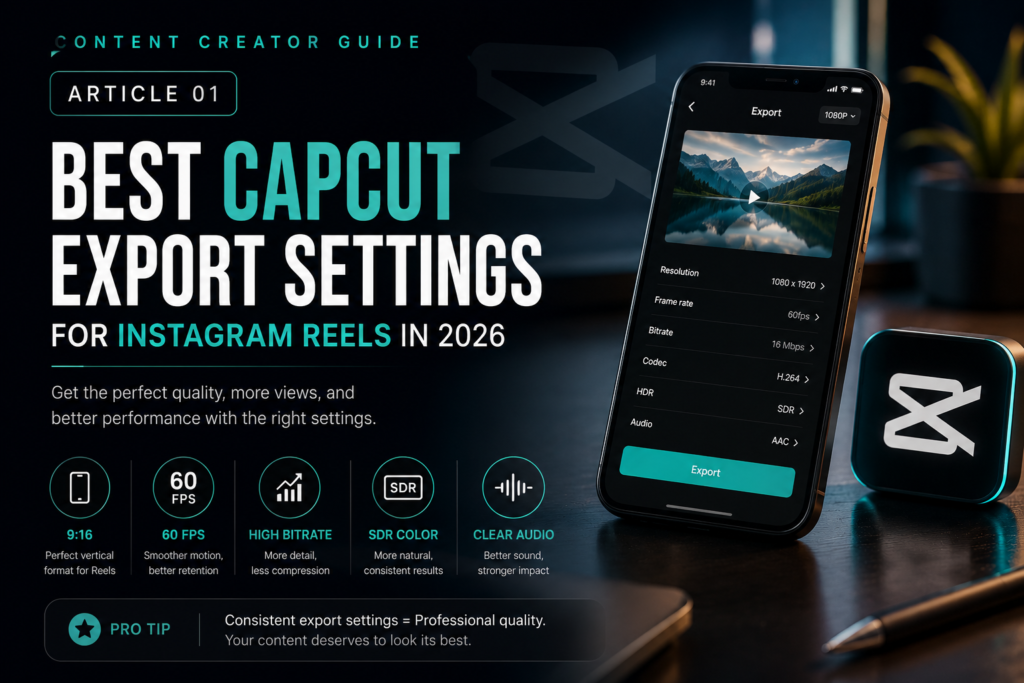
Best CapCut Export Settings for Instagram Reels in 2026
Why Export Settings Matter More Than People Think
A lot of creators spend hours editing beautiful videos, but when they upload to Instagram, the quality suddenly looks blurry, compressed, soft, or low quality. Most people think Instagram destroys quality randomly, but the truth is usually much simpler: the export settings are wrong.
Instagram compresses videos very aggressively. If your video is exported incorrectly before uploading, the compression becomes even worse. This is why understanding the correct CapCut export settings is extremely important if you want professional-looking reels.
Whether you are creating luxury content, cinematic videos, educational reels, or viral edits, your export settings directly affect:
- sharpness,
- smoothness,
- color quality,
- viewer retention,
- and overall professionalism.
Best Resolution for Instagram Reels
The best resolution for Instagram Reels is:
1080 × 1920
This is the official vertical format for reels and short-form videos.
Avoid exporting:
- square videos,
- horizontal formats,
- or lower resolutions.
Vertical full-screen content performs significantly better because it occupies the entire mobile screen and creates a more immersive experience.
Best FPS (Frames Per Second)
The best FPS depends on your content style.
Use 30 FPS for:
- talking videos,
- educational content,
- podcasts,
- tutorials,
- lifestyle reels.
Use 60 FPS for:
- cinematic edits,
- slow motion,
- luxury content,
- action shots,
- sports,
- car videos,
- travel videos.
If your footage was originally shot in 60 FPS, keep it in 60 FPS during export.
Best Bitrate Settings
Bitrate controls video quality and file size.
For Instagram Reels:
- too low = blurry video,
- too high = Instagram compresses aggressively.
The sweet spot is usually:
10–20 Mbps
Inside CapCut:
- choose “Recommended”
OR - use high quality export settings.
HDR vs SDR
Many creators accidentally export HDR videos that look overexposed or strange on Instagram.
For most creators:
SDR is safer.
HDR can sometimes create:
- color shifts,
- brightness problems,
- strange skin tones.
Unless you fully understand HDR workflows, use SDR exports for consistency.
Best Codec
Use:
H.264
This is still the safest and most compatible format for Instagram.
Avoid strange codecs that Instagram may recompress poorly.
Best Audio Settings
Good audio quality massively improves retention.
Recommended:
- AAC Audio
- 44.1kHz
- 320kbps if possible
Clear audio creates a more professional experience even if viewers do not consciously notice it.
How To Prevent Instagram Compression
Here are the biggest tricks professionals use:
1. Upload From Stable Internet
Bad internet can trigger heavier compression.
2. Avoid Re-Uploading Multiple Times
Instagram may compress repeated uploads harder.
3. Use Original Footage
Do not download and re-edit compressed TikToks or reels repeatedly.
4. Keep Lighting Clean
Instagram compression destroys dark noisy footage faster.
5. Sharpen Slightly Before Export
A tiny amount of sharpening helps preserve detail after compression.
Common Mistakes Creators Make
Exporting in 4K
Instagram usually compresses it anyway.
Overusing Effects
Too much glow, blur, or grain creates compression artifacts.
Uploading From Android Gallery Compressors
Some devices compress automatically before upload.
Using Wrong Aspect Ratio
Anything outside 9:16 usually performs worse.
Final Recommendation
For most creators in 2026, the best CapCut export settings are:
- 1080 × 1920
- 30 or 60 FPS
- H.264
- High bitrate
- SDR
- AAC Audio
Simple settings done correctly will outperform complicated exports done poorly.
The most important thing is consistency. Professional creators build recognizable quality standards across all their content.
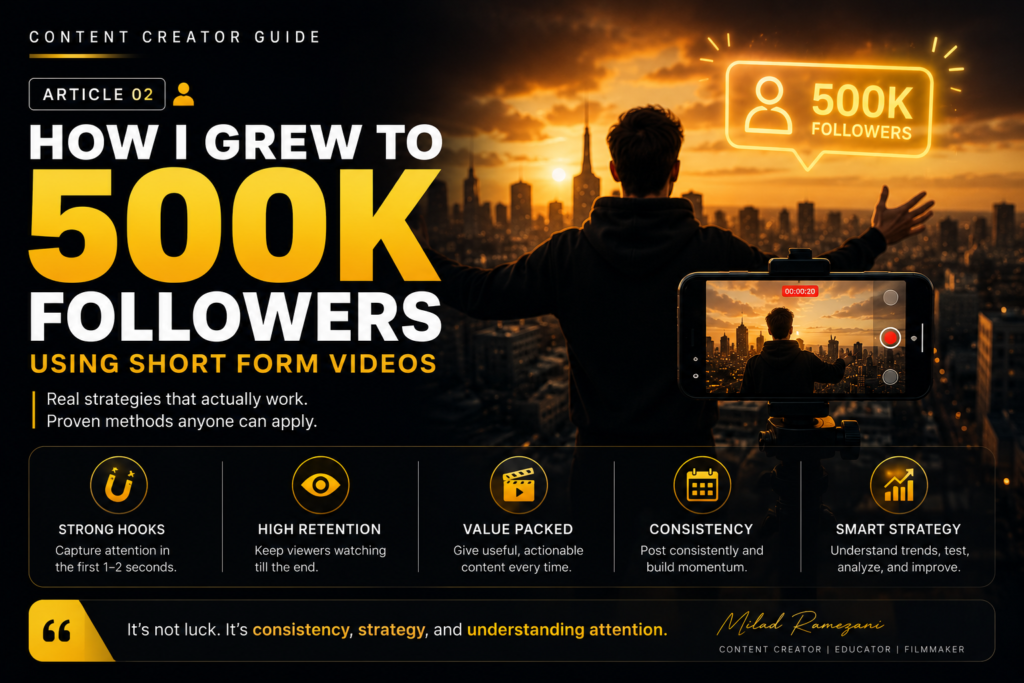
How I Grew to 500K Followers Using Short Form Videos
The Biggest Misunderstanding About Growth
Most people think follower growth comes from luck. It does not.
The reality is that short-form content platforms reward:
- attention,
- retention,
- consistency,
- emotional reaction,
- and speed.
When I started focusing seriously on short-form content, I realized something important:
You do not need millions of followers to go viral.
You only need one strong video to trigger momentum.
Why Short Form Content Dominates Social Media
Platforms like Instagram and TikTok are designed to maximize watch time.
Short videos work because they:
- deliver fast dopamine,
- keep attention high,
- encourage rewatching,
- and are easy to consume.
This creates massive opportunities for creators who understand psychology and storytelling.
The Hook Is Everything
The first 1–2 seconds decide whether people continue watching.
Bad hooks kill videos immediately.
A strong hook:
- creates curiosity,
- emotion,
- tension,
- or surprise.
Examples:
- “Nobody talks about this editing trick…”
- “This mistake ruined my content for months.”
- “Here’s why your reels stay blurry.”
The hook must create immediate interest.
Retention Matters More Than Followers
Instagram does not care how many followers you have.
It cares about:
- watch time,
- completion rate,
- shares,
- saves,
- and rewatches.
A smaller creator with strong retention can outperform huge pages.
Simplicity Wins
One of the biggest mistakes creators make is overcomplicating content.
The best-performing videos are usually:
- simple,
- focused,
- emotionally clear,
- and easy to understand instantly.
If viewers are confused in the first seconds, they leave.
Consistency Creates Momentum
Growth rarely happens from one upload.
Momentum happens when:
- multiple strong videos stack together,
- audience trust increases,
- platform confidence increases.
Consistency trains both:
- the algorithm,
- and your own creative instincts.
Storytelling Changes Everything
Even educational videos need storytelling.
A good reel should feel like:
- a journey,
- a transformation,
- or a discovery.
People remember emotions more than information.
Why Editing Quality Matters
Editing controls pacing and emotion.
Good editing:
- removes dead moments,
- increases energy,
- improves retention,
- and creates professionalism.
But editing should support the message, not distract from it.
Viral Videos Usually Trigger Emotion
The strongest performing content often creates:
- curiosity,
- inspiration,
- shock,
- aspiration,
- humor,
- or emotional connection.
Emotion drives sharing behavior.
Final Thoughts
Growing to 500K followers was not magic.
It came from:
- understanding attention,
- improving storytelling,
- creating consistent value,
- and learning what audiences emotionally respond to.
Short-form content is one of the biggest opportunities creators have today. Those who learn how to control attention will always have an advantage online.
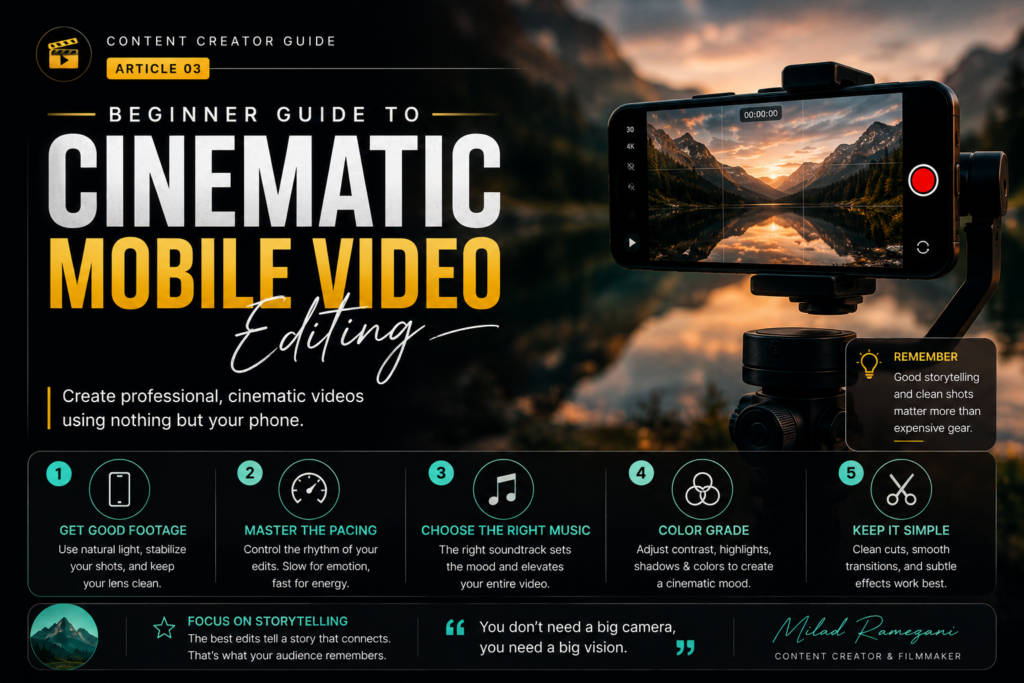
Beginner Guide to Cinematic Mobile Video Editing
Why Mobile Editing Became So Powerful
A few years ago, professional editing required expensive computers and advanced software. Today, mobile editing apps like CapCut allow creators to produce cinematic content directly from their phones.
This changed the creator economy completely.
Now anyone with:
- creativity,
- storytelling skills,
- and consistency
can create high-quality videos from almost anywhere.
Cinematic Editing Is About Emotion
Most beginners think cinematic editing means:
- expensive cameras,
- expensive lenses,
- expensive equipment.
But cinematic feeling actually comes from:
- lighting,
- pacing,
- music,
- movement,
- and storytelling.
Even phone footage can feel cinematic when edited correctly.
Start With Good Footage
Editing cannot fully save terrible footage.
Before editing:
- clean your camera lens,
- use stable movement,
- avoid dark noisy environments,
- and focus on lighting.
Natural lighting is often the easiest way to improve video quality instantly.
Understand Pacing
Cinematic editing depends heavily on pacing.
Fast cuts create:
- energy,
- intensity,
- excitement.
Slow cuts create:
- emotion,
- atmosphere,
- depth.
The pacing should match the emotion of the video.
Music Is Extremely Important
Music controls emotional perception.
The right soundtrack can make simple footage feel:
- emotional,
- luxurious,
- dramatic,
- inspiring,
- or powerful.
Always choose music intentionally.
Color Grading Basics
Color grading helps create mood consistency.
Beginners should focus on:
- contrast,
- highlights,
- shadows,
- temperature,
- and saturation.
Do not over-edit colors aggressively.
Subtle grading usually looks more professional.
Transitions Should Be Natural
Many beginners overuse flashy transitions.
Professional editors usually prefer:
- smooth movement transitions,
- speed ramps,
- clean cuts,
- and motivated transitions.
The goal is flow, not distraction.
Sound Design Improves Professionalism
Small sounds dramatically improve immersion.
Examples:
- whooshes,
- ambient sounds,
- camera clicks,
- footsteps,
- environmental audio.
Even subtle sound design makes videos feel more cinematic.
Keep Learning Through Practice
The fastest way to improve editing is repetition.
Every project teaches:
- timing,
- storytelling,
- rhythm,
- and audience psychology.
Most professional creators became good through volume and experimentation.
Final Thoughts
Cinematic editing is not about expensive gear.
It is about:
- emotion,
- storytelling,
- pacing,
- and attention to detail.
A creator with strong storytelling skills will always outperform someone who only relies on equipment.
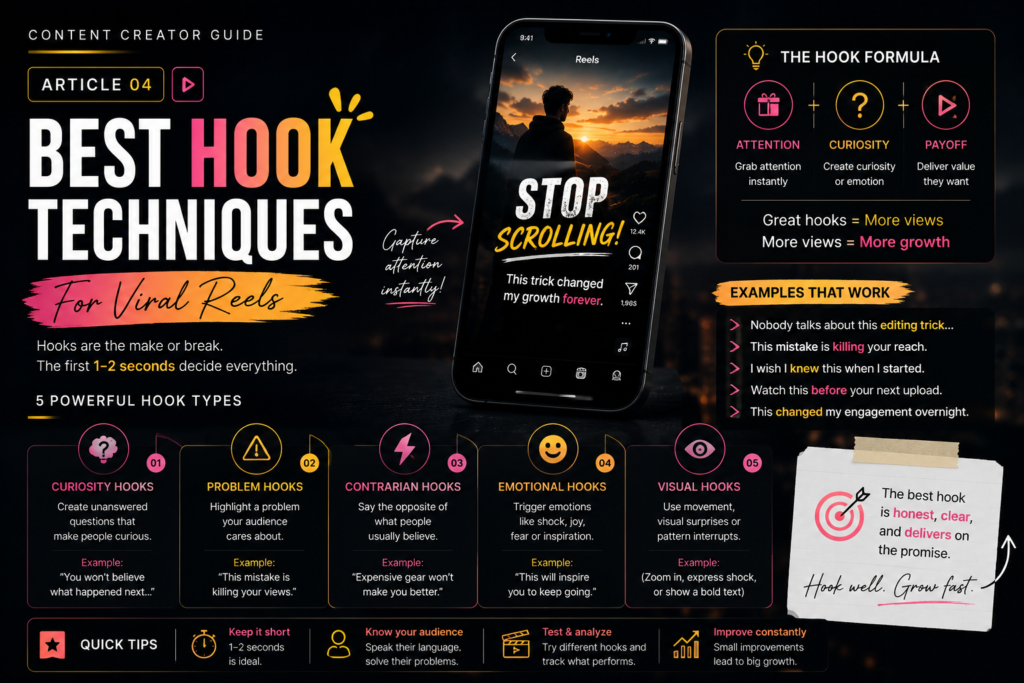
Best Hook Techniques for Viral Reels
Why Most Reels Fail Immediately
Most reels fail before viewers even understand the content.
Why?
Because attention online is extremely competitive.
People decide within seconds whether a video deserves attention.
The hook determines survival.
Curiosity Hooks
Curiosity is one of the strongest psychological triggers.
Examples:
- “Nobody talks about this…”
- “This changed my engagement overnight.”
- “I wish I knew this earlier.”
Curiosity creates an open mental loop that viewers want to close.
Problem Hooks
People instantly pay attention to problems they relate to.
Examples:
- “Your reels are blurry because of this.”
- “This mistake is killing your retention.”
- “Why nobody watches your content.”
Problem-based hooks work extremely well in educational content.
Contrarian Hooks
Contrarian hooks challenge expectations.
Examples:
- “Followers do NOT matter anymore.”
- “Expensive cameras will not fix bad content.”
- “Most creators edit completely wrong.”
This creates interruption in scrolling behavior.
Emotional Hooks
Emotion increases retention and sharing.
Examples:
- fear,
- aspiration,
- inspiration,
- excitement,
- nostalgia.
People remember emotional experiences more than information.
Visual Hooks Matter Too
Hooks are not only verbal.
Visual hooks include:
- sudden movement,
- unusual visuals,
- close-ups,
- dramatic framing,
- fast pacing.
Strong visuals stop scrolling instantly.
Keep Hooks Short
Long intros kill retention.
The first sentence should be:
- clear,
- fast,
- emotionally strong.
Avoid:
- slow greetings,
- unnecessary introductions,
- wasted seconds.
Match The Hook To The Payoff
Never create misleading hooks.
If the video disappoints viewers after a strong hook:
- retention drops,
- trust decreases,
- long-term growth suffers.
Good hooks attract attention honestly.
Final Thoughts
The hook is the gateway to attention.
Even incredible content fails without a strong opening.
Creators who master hooks gain a massive advantage because they understand how modern attention works.
Sony A7S Settings for Cinematic Content Creators
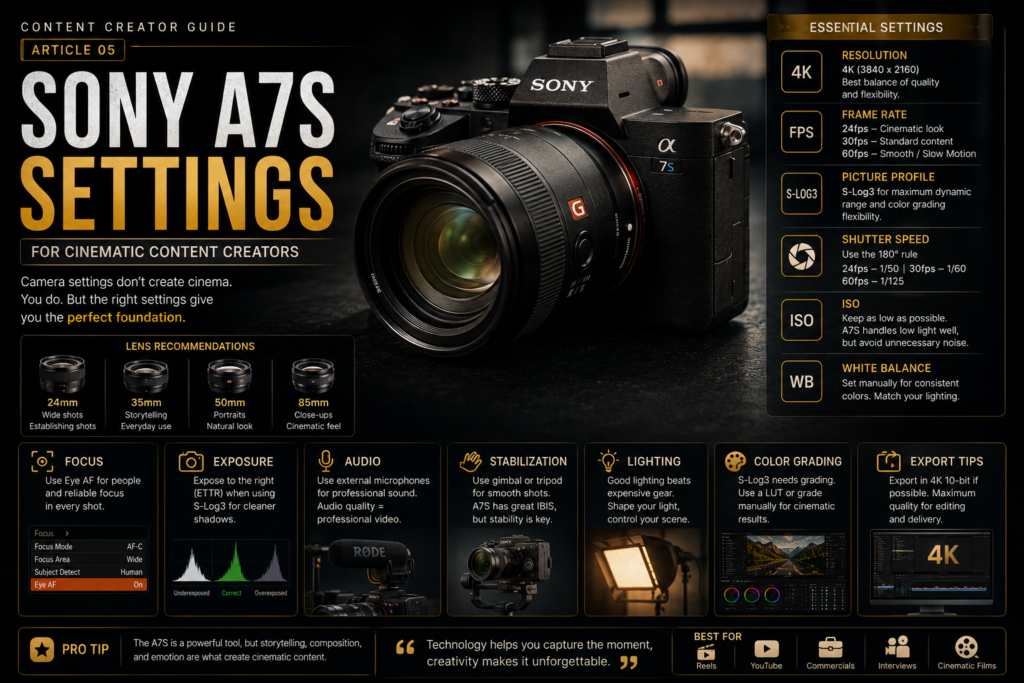
Why The Sony A7S Series Became So Popular
The Sony A7S line became famous because of:
- low light performance,
- cinematic image quality,
- strong dynamic range,
- and professional video features.
For creators making:
- reels,
- commercials,
- luxury content,
- podcasts,
- and cinematic edits,
the A7S remains one of the most powerful tools available.
Best Resolution Settings
For most creators:
4K is ideal.
It provides:
- strong detail,
- flexibility for cropping,
- and cleaner exports.
1080p is still useful for faster workflows and smaller file sizes.
Best Frame Rate
24 FPS
Creates classic cinematic motion.
30 FPS
Best for standard creator content.
60 FPS
Perfect for smooth motion and slow motion editing.
Picture Profiles
Many creators use:
S-Log3
because it gives:
- higher dynamic range,
- flexible color grading,
- cinematic results.
However, beginners may struggle with log footage.
If you are new:
- start with standard profiles,
- then gradually learn color grading.
Shutter Speed Rule
A cinematic rule many professionals follow:
Shutter Speed = Double Your FPS
Examples:
- 24 FPS → 1/50
- 30 FPS → 1/60
- 60 FPS → 1/125
This creates natural motion blur.
ISO Settings
The A7S performs extremely well in low light.
Still, avoid unnecessary high ISO values because:
- noise increases,
- detail decreases.
Always prioritize good lighting whenever possible.
White Balance Matters
Auto white balance can shift colors unpredictably.
Manual white balance creates:
- consistency,
- professional skin tones,
- cleaner edits.
Lens Choice Changes Everything
Lenses dramatically affect cinematic feeling.
Popular focal lengths:
- 24mm for wide shots,
- 35mm for storytelling,
- 50mm for portraits,
- 85mm for luxury close-ups.
Audio Quality Is Critical
Bad audio destroys professional feeling instantly.
Use:
- external microphones,
- controlled environments,
- and clean sound recording whenever possible.
Final Thoughts
The Sony A7S is powerful, but camera settings alone do not create cinematic videos.
The true difference comes from:
- lighting,
- storytelling,
- composition,
- pacing,
- and emotional direction.
Technology helps, but creativity remains the real advantage.

